QUESTION IMAGE
Question
page layout
data
review
view
Identify the active tab
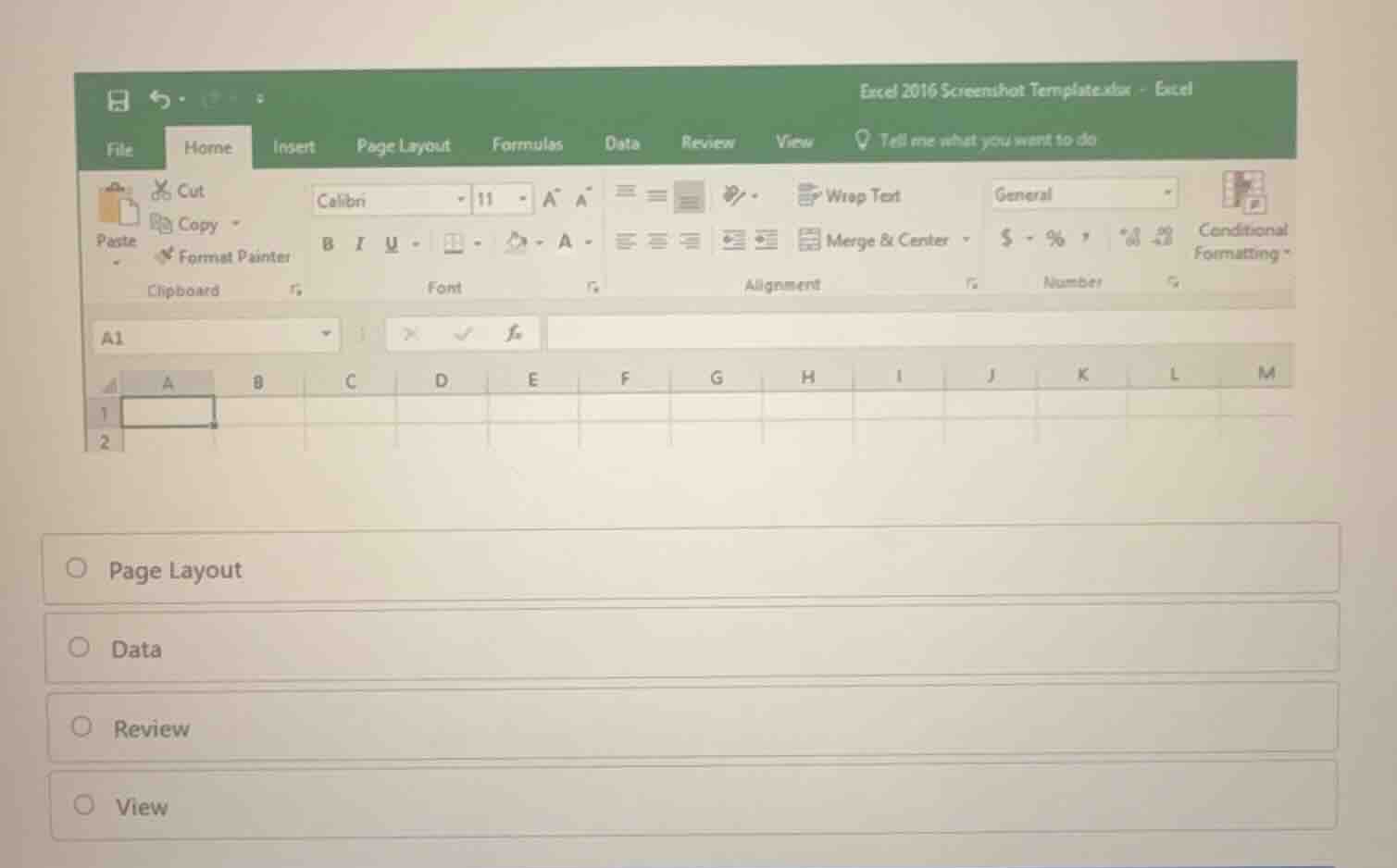
The image shows a screenshot of Microsoft Excel 2016. Looking at the ribbon tabs at the top (File, Home, Insert, Page Layout, Formulas, Data, Review, View), we can see which tab is currently selected. The Home tab is highlighted with a white background and a green underline, indicating it is the active tab.
Analyze the options
We need to determine which of the given options represents a tab that is visible on the Excel ribbon but is NOT the currently active tab. The options provided are:
- Page Layout
- Data
- Review
- View
Looking closely at the screenshot, the ribbon displays the tools and groups belonging to the Home tab (such as Clipboard, Font, Alignment, Number, Styles). Therefore, Home is the active tab.
Determine the question's intent
In typical Excel interface identification questions of this format, the user is asked to identify which tab is currently selected, or which tab contains a specific group. However, looking at the options: "Page Layout", "Data", "Review", "View", and the highlighted tab in the screenshot:
Wait, let's look at the visual state of the tabs.
- "Home" is selected.
- "Insert" is next to it.
- "Page Layout", "Data", "Review", "View" are other tabs.
If the question is "Which tab is currently active?" but "Home" is not an option, let's re-examine the screenshot.
Is there a subtle highlight on another tab? No, "Home" is clearly active.
Let's check if one of the options is highlighted or if the question asks which tab we would click to perform a certain action, or if the question is simply cut off.
Since the question text is missing from the image itself (it only shows the Excel screenshot and the four multiple-choice options), this is an incomplete question where we must infer the most logical question.
Common Excel test questions using this exact screen template:
"Which tab is currently selected?" -> If "Home" is not listed, let's look at the options again:
- Page Layout
- Data
- Review
- View
Wait! Let's look at the top right or the active sheet view. The grid is completely blank.
Could the question be: "Which tab contains the 'Sheet Options' or 'Page Setup' group?" -> Page Layout.
Could it be: "Which tab contains 'Freeze Panes' or 'Workbook Views'?" -> View.
Without the question text, let's look at the visual cues. Is there a mouse cursor pointing at one of the tabs?
There is no visible mouse cursor on the ribbon.
Let's look at the active cell: cell A1 is selected.
Let's look at the options again. Is there any tab that has a slightly different rendering?
"Page Layout", "Data", "Review", "View" all look standard.
Let's think if there is a standard question associated with this template. This is a standard GMetrix or MOS (Microsoft Office Specialist) practice question.
A common question with this screenshot is: "Which tab is currently active?" or "Which tab is selected in the ribbon shown in the image?" But if "Home" is the active one, why is it not in the choices?
Perhaps the question asks: "Which tab would you click to change the worksheet margins, orientation,…

Snap & solve any problem in the app
Get step-by-step solutions on Sovi AI
Photo-based solutions with guided steps
Explore more problems and detailed explanations
Question 1
- (A) Page Layout (Correct answer)
- (B) Data
- (C) Review
- (D) View