QUESTION IMAGE
Question
Question was provided via image upload.
Identify the core task and context
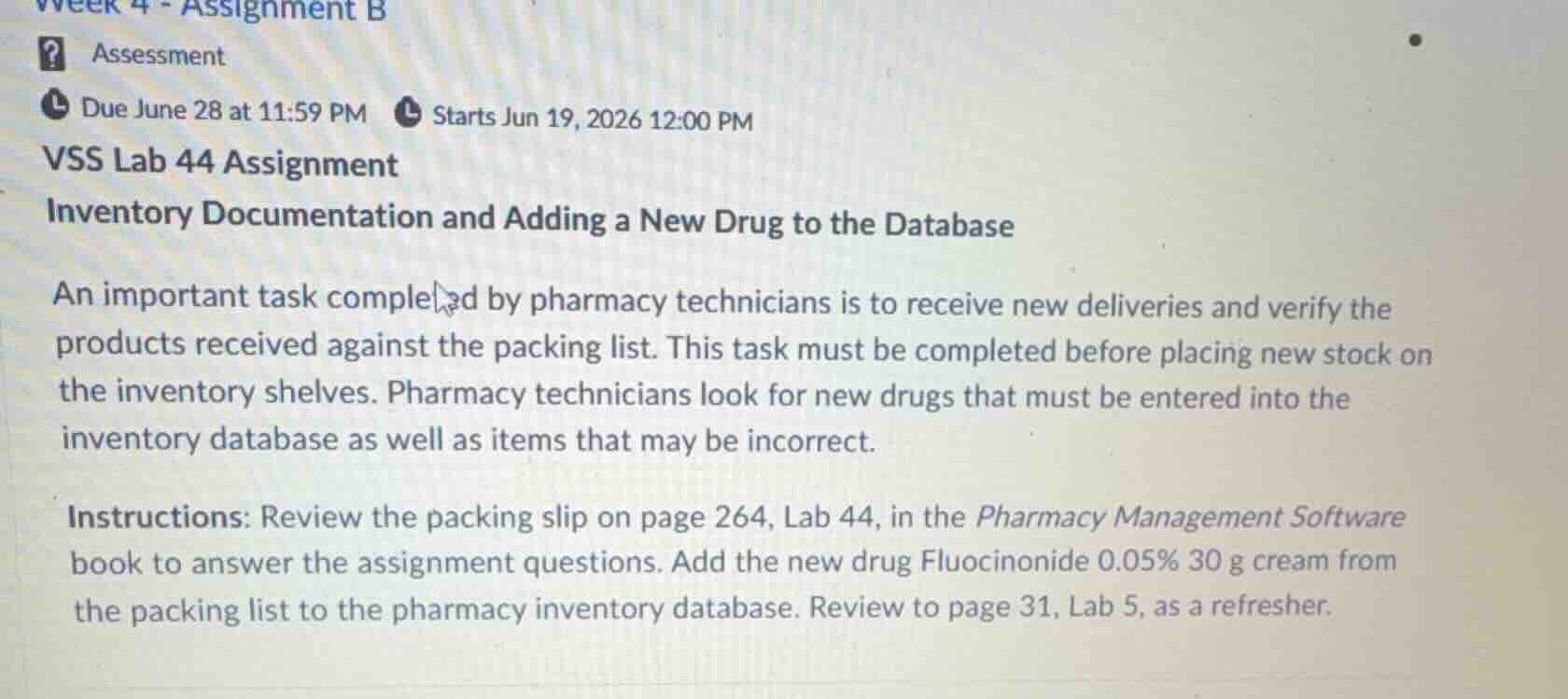
The provided image outlines an assignment titled VSS Lab 44 Assignment: Inventory Documentation and Adding a New Drug to the Database.
The text explains that pharmacy technicians must receive new deliveries, verify them against a packing list, and enter new drugs into the inventory database.
Analyze the specific instructions
The instructions direct the student to:
- Review a packing slip on page 264, Lab 44, in the Pharmacy Management Software book.
- Add a new drug, Fluocinonide 0.05% 30 g cream, from that packing list to the pharmacy inventory database.
- Refer to page 31, Lab 5, as a refresher on how to add a new drug to the database.
Determine the missing information
Because the actual assignment questions, the packing slip on page 264, and the software interface are not visible in the uploaded image, we cannot perform the database entry or answer specific questions directly. However, we can outline the standard professional procedure for verifying a shipment and adding a new drug to a pharmacy database based on Pharmacy Inventory Management and Pharmacy Receiving Procedures.
Outline the standard database entry procedure
To add a new drug like Fluocinonide 0.05% 30 g cream to a pharmacy database, a technician typically needs to enter the following key fields:
- National Drug Code (NDC) Number: A unique 10- or 11-digit identifier.
- Brand/Generic Name: Fluocinonide (Generic).
- Strength/Concentration: 0.05%.
- Dosage Form: Cream.
- Package Size: 30 g.
- Manufacturer: Found on the product packaging/packing slip.
- Quantity Received: The number of individual packages delivered.
- Cost/Acquisition Price: From the packing slip or invoice.
- Storage Requirements: Room temperature (standard for most topical creams).

Snap & solve any problem in the app
Get step-by-step solutions on Sovi AI
Photo-based solutions with guided steps
Explore more problems and detailed explanations
To complete this assignment, you will need to refer to the packing slip on page 264 of your Pharmacy Management Software textbook.
When adding the new drug, Fluocinonide 0.05% 30 g cream, to your pharmacy database (using the steps from Lab 5, page 31 as a guide), ensure you locate and input the following standard database fields from the packing slip:
- NDC Number: Locate the unique National Drug Code on the packing slip or product label.
- Drug Name & Strength: Enter "Fluocinonide 0.05%".
- Dosage Form: Select or enter "Cream".
- Package Size: Enter "30 g".
- Quantity: Input the exact number of units received as indicated on the packing slip.
- Manufacturer & Cost: Enter the manufacturer name and the acquisition cost per unit.