QUESTION IMAGE
Question
precision builders
3398 s. maclenta dr. ste. 102
atlanta, ga 30338
404.983.3206
www.bigpeachbuild.com
may 8, 2020
jake peterson
3216 kennesaw mill ave
atlanta, ga 30338
dear mr. peterson,
you recently signed up to receive information about kitchen remodeling at your local homemade warehouse. we are happy to invite you to the surviving a kitchen remodel workshop.
here is a golden opportunity to receive inspiration for any level of remodeling you are considering. our award - winning events are led by our team of experts: designers, builders, interior designers, energy efficiency advocates, and realtors. precision builders has consistently been rated as one of the top three construction companies in the best of atlanta annual reader survey
you will be treated to informative presentations, live demonstrations, and top - notch expert consultation tailored to your specific remodeling needs.
we will provide a complimentary breakfast, with snacks and beverages available throughout the
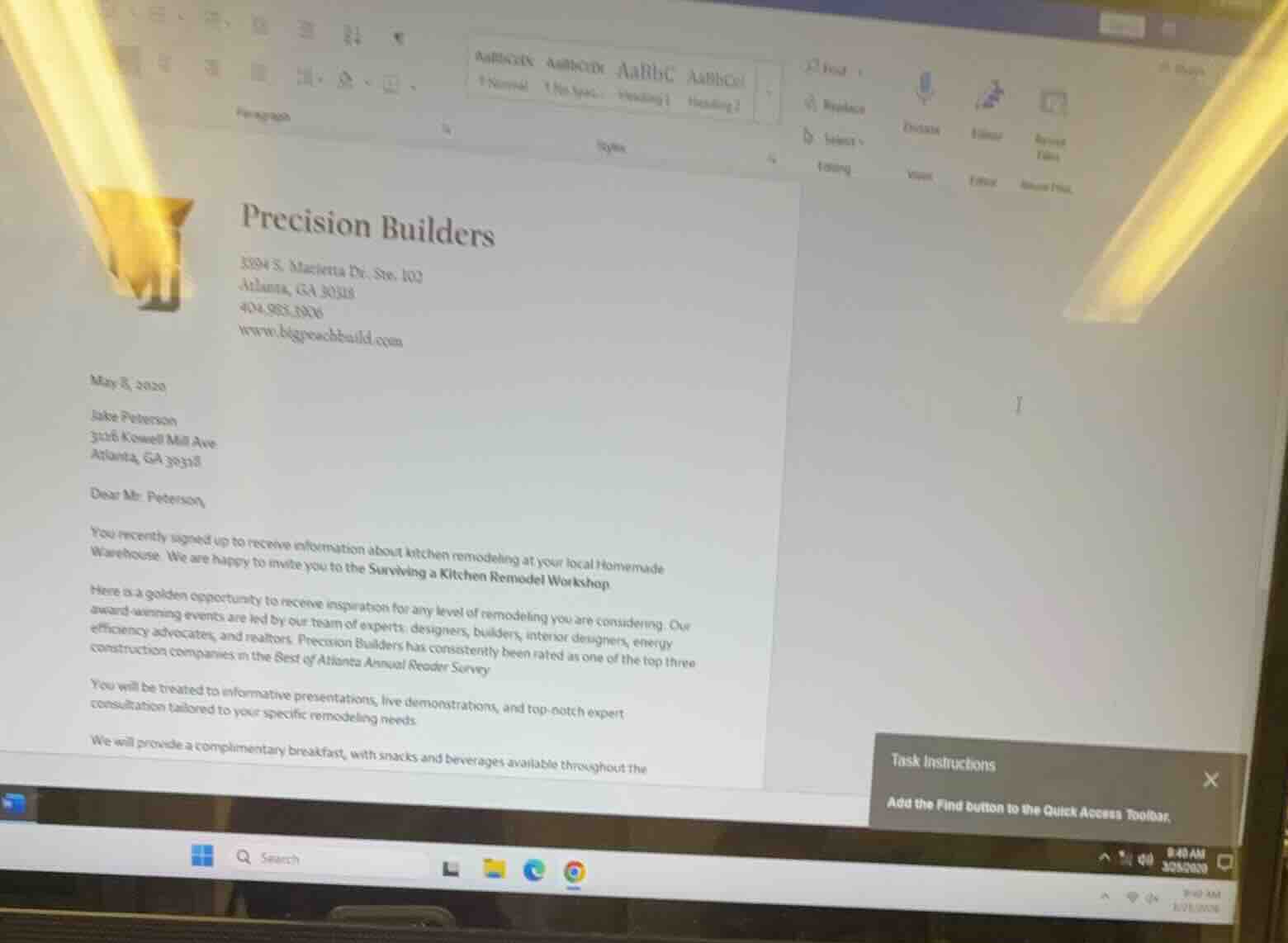
task instructions
add the find button to the quick access toolbar.
To add the Find button to the Quick Access Toolbar in Microsoft Word (as shown in the image):
- Click the small dropdown arrow at the end of the Quick Access Toolbar (top-left corner of the window, above the ribbon).
- Select "More Commands" from the menu.
- In the Word Options window, use the "Choose commands from" dropdown to select "All Commands".
- Scroll through the list to find "Find", select it, then click the "Add >>" button to move it to the Quick Access Toolbar list on the right.
- Click "OK" to save the change.
Alternatively, if "Find" is listed in the initial dropdown from the Quick Access Toolbar, you can select it directly to add it immediately.

Snap & solve any problem in the app
Get step-by-step solutions on Sovi AI
Photo-based solutions with guided steps
Explore more problems and detailed explanations
The Find button is added to the Quick Access Toolbar by accessing the Quick Access Toolbar's dropdown menu, selecting relevant command options, adding "Find" to the toolbar list, and confirming the change.