QUESTION IMAGE
Question
working with incoming responses
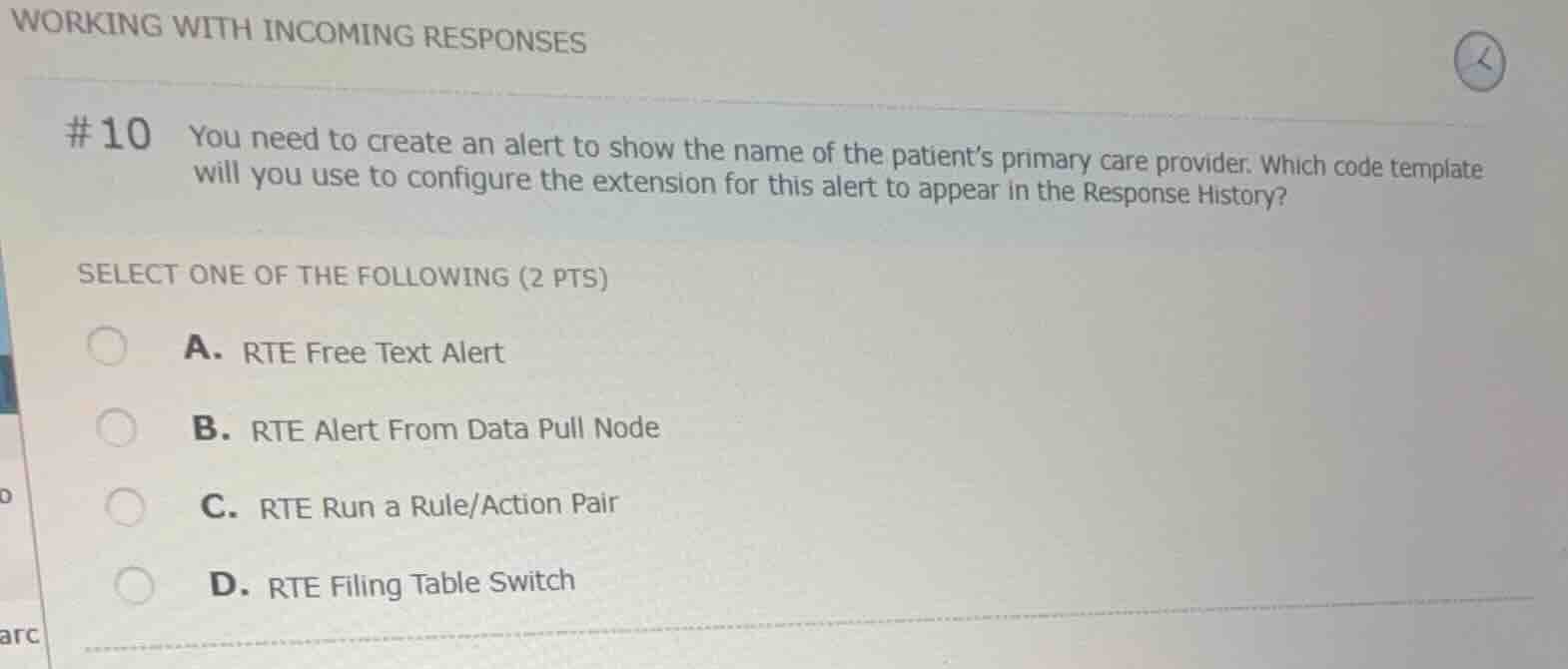
#10 you need to create an alert to show the name of the patients primary care provider. which code template will you use to configure the extension for this alert to appear in the response history?
select one of the following (2 pts)
a. rte free text alert
b. rte alert from data pull node
c. rte run a rule/action pair
d. rte filing table switch
Identify the configuration goal
The objective is to display an alert containing dynamic data (the patient's primary care provider name) extracted from an incoming response within the Response History.
Evaluate the available code templates
- RTE Free Text Alert: Used for static text alerts that do not pull dynamic data from the response.
- RTE Alert From Data Pull Node: Specifically designed to create alerts that pull and display dynamic data extracted via a data pull extension/node from the incoming response.
- RTE Run a Rule/Action Pair: Used to execute conditional logic or actions based on rules, not directly for formatting and displaying a data-driven alert in the history.
- RTE Filing Table Switch: Used to route or map incoming data to specific database tables.
Select the correct option
The template that allows configuring an alert to show dynamic data (like a provider's name) from a response data pull is the RTE Alert From Data Pull Node.

Snap & solve any problem in the app
Get step-by-step solutions on Sovi AI
Photo-based solutions with guided steps
Explore more problems and detailed explanations
- (A) RTE Free Text Alert
- (B) RTE Alert From Data Pull Node (Correct answer)
- (C) RTE Run a Rule/Action Pair
- (D) RTE Filing Table Switch