QUESTION IMAGE
Question
show what you have learned by completing the exercise below. once complete, hit continue to move to the next section.
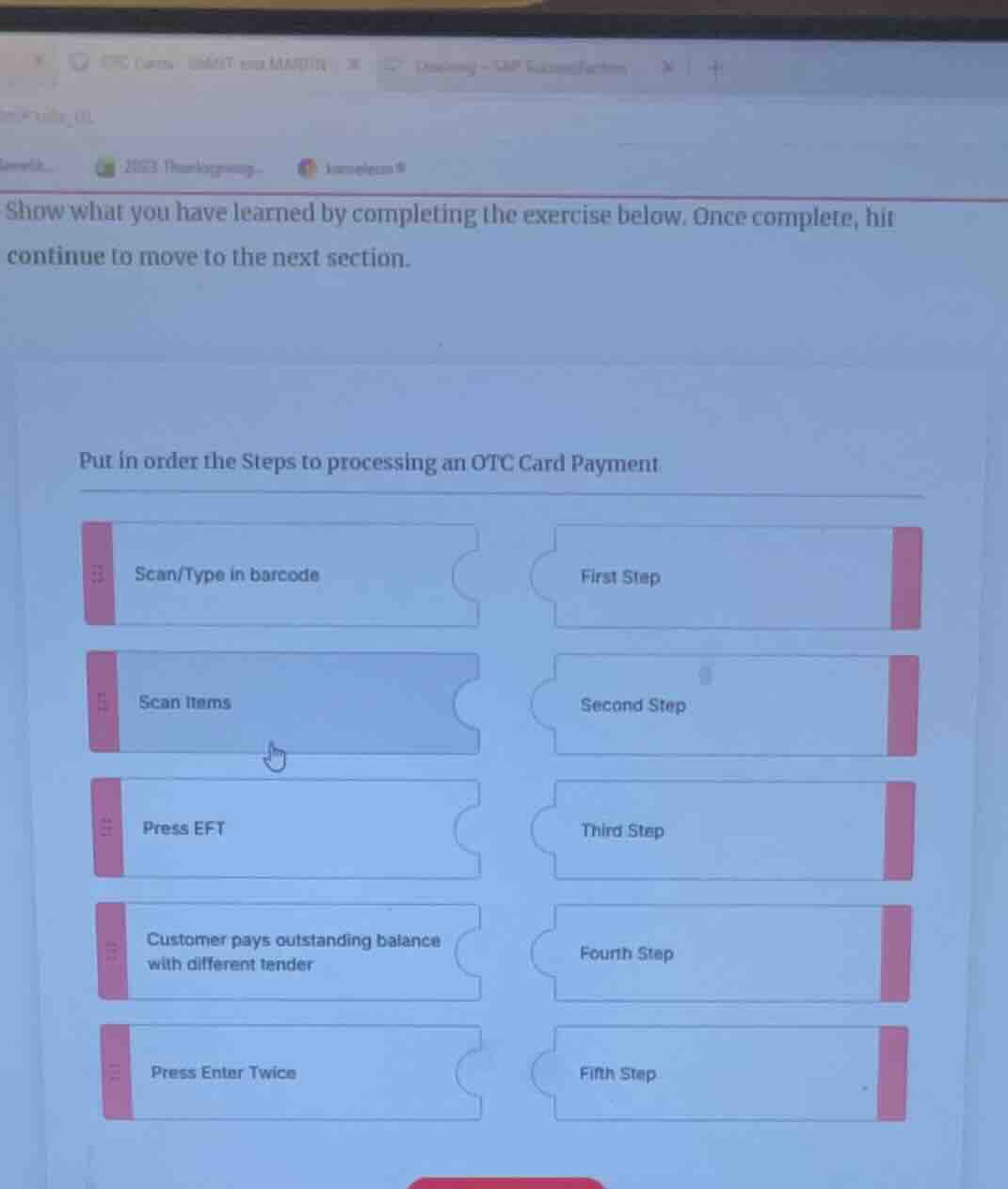
put in order the steps to processing an otc card payment
scan/type in barcode
first step
scan items
second step
press eft
third step
customer pays outstanding balance with different tender
fourth step
press enter twice
fifth step
Analyze checkout sequence
We need to order the steps for processing an Over-The-Counter (OTC) card payment.
The available actions on the left are:
- Scan/Type in barcode
- Scan items
- Press EFT
- Customer pays outstanding balance with different tender
- Press Enter Twice
The target slots on the right are:
- First Step
- Second Step
- Third Step
- Fourth Step
- Fifth Step
Determine the logical order
Using Retail Checkout Operations and Retail Scanning Guidelines:
- First, the cashier must scan the customer's merchandise.
- First Step: "Scan items"
- Once items are scanned, the cashier scans or types the OTC card's barcode to apply the benefit.
- Second Step: "Scan/Type in barcode"
- To initiate the electronic card transaction, the cashier selects the electronic funds transfer option.
- Third Step: "Press EFT"
- The system prompts for confirmation or processing. Pressing enter twice confirms the amount.
- Fourth Step: "Press Enter Twice"
- If the OTC card does not cover the full balance, the customer pays the remaining amount.
- Fifth Step: "Customer pays outstanding balance with different tender"

Snap & solve any problem in the app
Get step-by-step solutions on Sovi AI
Photo-based solutions with guided steps
Explore more problems and detailed explanations
The correct order of the steps to process an OTC Card Payment is:
- First Step: Scan items
- Second Step: Scan/Type in barcode
- Third Step: Press EFT
- Fourth Step: Press Enter Twice
- Fifth Step: Customer pays outstanding balance with different tender