QUESTION IMAGE
Question
do this
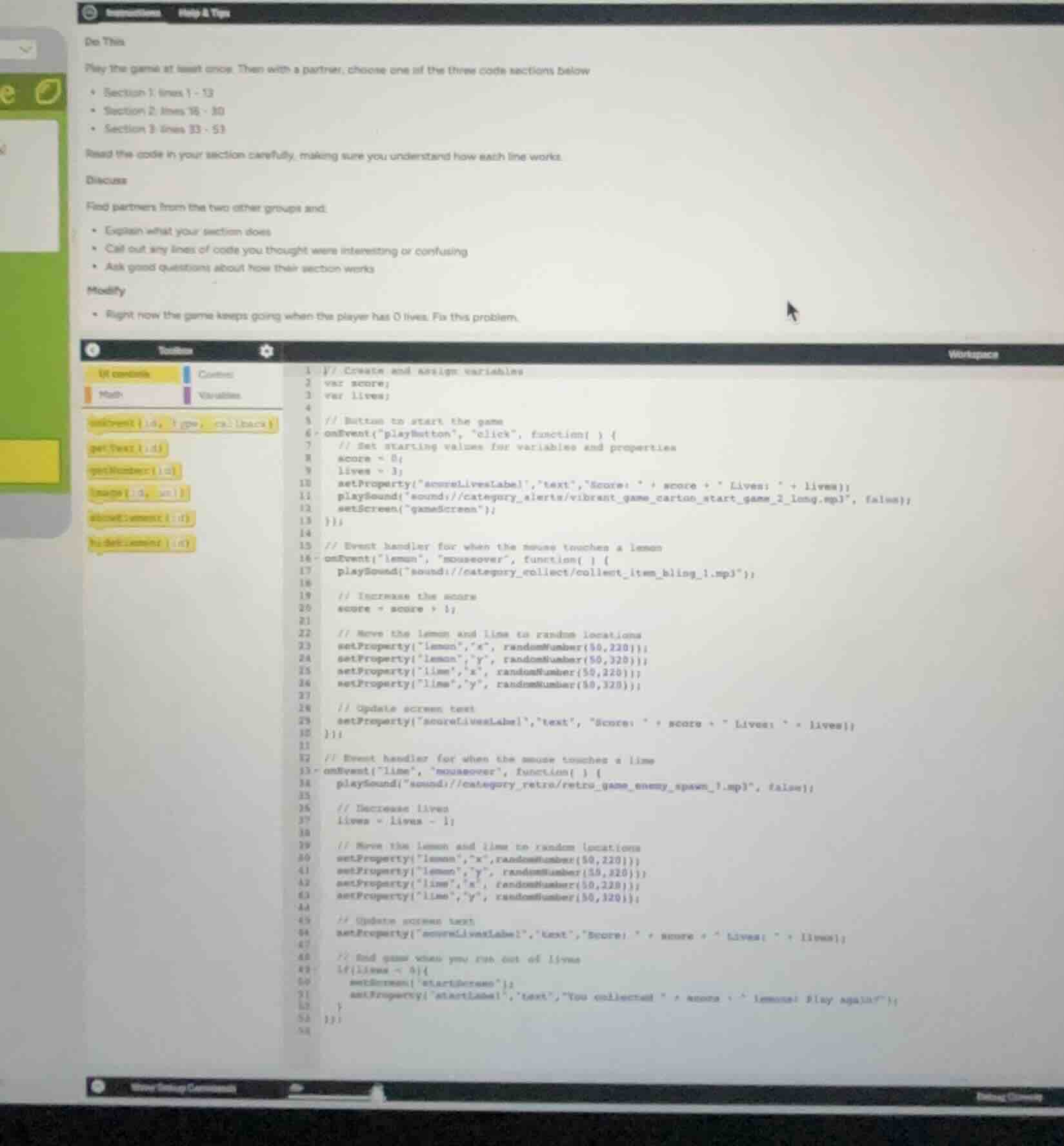
play the game at least once. then with a partner, choose one of the three code sections below
- section 1: lines 1-13
- section 2: lines 14-30
- section 3: lines 31-53
read the code in your section carefully, making sure you understand how each line works.
discuss
find partners from the two other groups and:
- explain what your section does
- call out any lines of code you thought were interesting or confusing
- ask good questions about how their section works
modify
- right now the game keeps going when the player has 0 lives. fix this problem.
Analyze the current code behavior
The prompt asks to fix a bug: "Right now the game keeps going when the player has 0 lives. Fix this problem."
Looking at the code in the workspace, we have:
- Lines 1-13: Event handler for starting the game (
playButtonclick). - Lines 15-30: Event handler for when the mouse touches a lemon (increases score).
- Lines 32-53: Event handler for when the mouse touches a lime (decreases lives).
Inside the lime event handler (lines 32-53):
- Line 37:
lives = lives - 1; - Lines 39-43: Moves the lemon and lime to random locations.
- Line 45: Updates the screen text showing score and lives.
- Lines 47-52: Checks if the game should end:
  // End game when you run out of lives
  if (lives < 0) {
    setScreen("startScreen");
    setProperty("startLabel", "text", "You collected " + score + " lemons! Play again?");
  }
Identify the bug
The conditional statement on line 49 is if (lives < 0).
This means the game only ends when lives becomes strictly less than 0 (i.e., -1).
When lives reaches 0, the condition lives < 0 is false, so the game continues, allowing the player to keep playing with 0 lives.
Formulate the solution
To fix this so that the game ends immediately when the player has 0 lives, we need to modify the condition in the Conditional Statements block.
The condition should check if lives is equal to 0 or less than 0.
We can change if (lives < 0) to:if (lives <= 0) or if (lives == 0).
Using lives <= 0 is safer in game development to catch any unexpected negative values.

Snap & solve any problem in the app
Get step-by-step solutions on Sovi AI
Photo-based solutions with guided steps
Explore more problems and detailed explanations
To fix the problem where the game keeps going when the player has 0 lives, you need to modify the conditional statement on line 49 inside the event handler for the lime (lines 32-53).
Code Modification
Change the condition in the if statement so that it triggers when lives is less than or equal to 0, rather than strictly less than 0.
Original Code (Line 49):
if (lives < 0) {Corrected Code:
if (lives <= 0) {(Alternatively, if (lives == 0) will also work, but lives <= 0 is safer practice to prevent any bugs if lives somehow drop below zero).