QUESTION IMAGE
Question
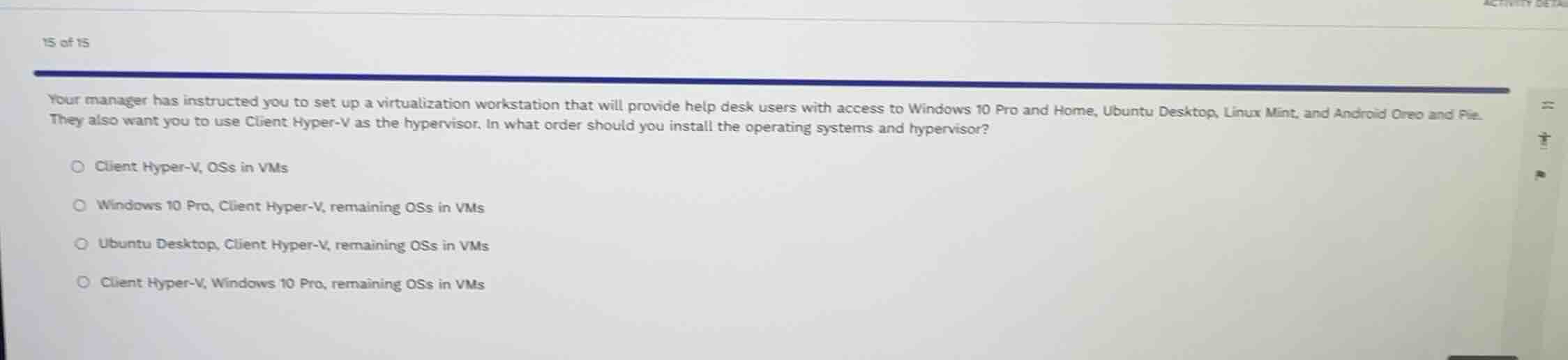
your manager has instructed you to set up a virtualization workstation that will provide help desk users with access to windows 10 pro and home, ubuntu desktop, linux mint, and android oreo and pie. they also want you to use client hyper-v as the hypervisor. in what order should you install the operating systems and hypervisor?
client hyper-v, oss in vms
windows 10 pro, client hyper-v, remaining oss in vms
ubuntu desktop, client hyper-v, remaining oss in vms
client hyper-v, windows 10 pro, remaining oss in vms
Identify host operating system requirements
Using the Client Hyper-V and Type 2 Hypervisor knowledge points
Client Hyper-V is a hypervisor feature built directly into Windows. It requires a 64-bit version of Windows 10 Pro, Enterprise, or Education as the host operating system to be installed first. It cannot run on Windows 10 Home or non-Windows operating systems as the primary host.
Determine the installation sequence
Using the Client Hyper-V knowledge point
- Install the host operating system: Windows 10 Pro.
- Enable the hypervisor feature: Client Hyper-V via Windows Features.
- Create virtual machines and install the remaining OSs in VMs (Windows 10 Home, Ubuntu, Linux Mint, Android).

Snap & solve any problem in the app
Get step-by-step solutions on Sovi AI
Photo-based solutions with guided steps
Explore more problems and detailed explanations
- (A) Client Hyper-V, OSs in VMs
- (B) Windows 10 Pro, Client Hyper-V, remaining OSs in VMs (Correct answer)
- (C) Ubuntu Desktop, Client Hyper-V, remaining OSs in VMs
- (D) Client Hyper-V, Windows 10 Pro, remaining OSs in VMs