QUESTION IMAGE
Question
Question was provided via image upload.
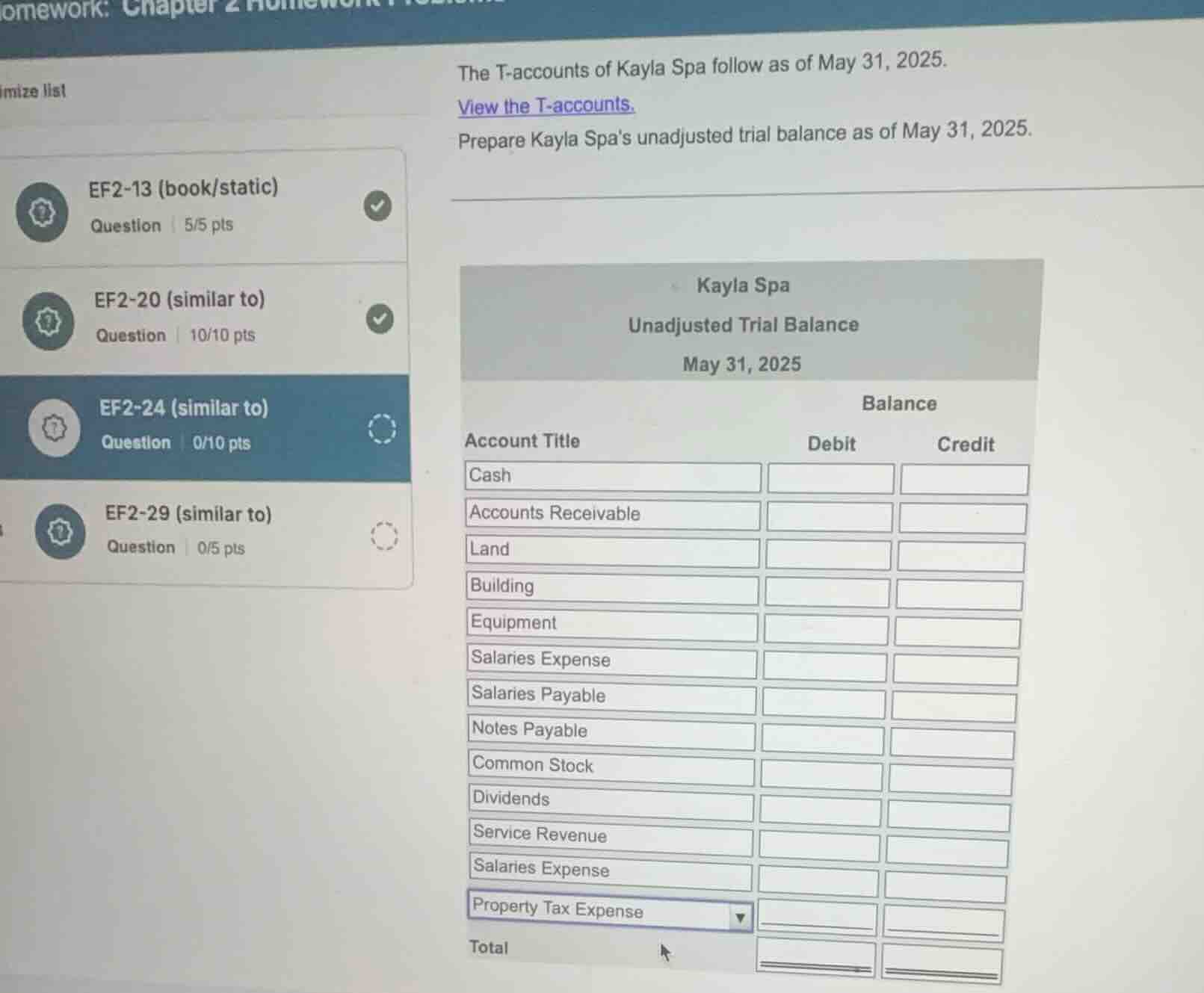
Identify the missing information
The user wants to prepare an unadjusted trial balance for Kayla Spa as of May 31, 2025. However, the actual T-account balances (the numerical values for Cash, Accounts Receivable, Land, Building, Equipment, Salaries Payable, Notes Payable, Common Stock, Dividends, Service Revenue, Salaries Expense, Property Tax Expense, etc.) are not visible in the provided image. The link "View the T-accounts" has not been clicked, so the numerical data is missing.
Determine the standard account ordering
Using the Trial Balance Preparation and Unadjusted Trial Balance knowledge points, we can help the student structure the trial balance correctly. A trial balance lists accounts in a specific order, usually following the financial statement order:
- Assets (Cash, Accounts Receivable, Land, Building, Equipment)
- Liabilities (Accounts Payable, Salaries Payable, Notes Payable)
- Equity (Common Stock, Retained Earnings, Dividends)
- Revenues (Service Revenue)
- Expenses (Salaries Expense, Property Tax Expense, etc.)
Looking at the dropdown fields in the image, the account titles are partially pre-filled but some need selection. Let's list the standard order for the accounts shown:
- Cash (Asset - Debit)
- Accounts Receivable (Asset - Debit)
- Land (Asset - Debit)
- Building (Asset - Debit)
- Equipment (Asset - Debit)
- Salaries Payable (Liability - Credit)
- Notes Payable (Liability - Credit)
- Common Stock (Equity - Credit)
- Dividends (Equity - Debit)
- Service Revenue (Revenue - Credit)
- Salaries Expense (Expense - Debit)
- Property Tax Expense (Expense - Debit)
Formulate guidance for the student
Since the numerical values are missing, we must explain how to fill out the table once the student retrieves the T-account balances by clicking "View the T-accounts". We will provide the standard debit/credit classification for each account to ensure their trial balance balances perfectly.

Snap & solve any problem in the app
Get step-by-step solutions on Sovi AI
Photo-based solutions with guided steps
Explore more problems and detailed explanations
To complete your unadjusted trial balance, you will need to click the "View the T-accounts" link in your online homework portal to get the specific ending balances for each account.
Once you have those numbers, place them in the Debit or Credit columns according to their normal balances as follows:
| Account Title | Normal Balance Type | Column to Enter Balance |
|---|---|---|
| Accounts Receivable | Asset | Debit |
| Land | Asset | Debit |
| Building | Asset | Debit |
| Equipment | Asset | Debit |
| Salaries Payable | Liability | Credit |
| Notes Payable | Liability | Credit |
| Common Stock | Equity | Credit |
| Dividends | Equity | Debit |
| Service Revenue | Revenue | Credit |
| Salaries Expense | Expense | Debit |
| Property Tax Expense | Expense | Debit |
Steps to Complete:
- Gather Balances: Click "View the T-accounts" and calculate or locate the final balance for each account as of May 31, 2025.
- Enter Values: Input each balance into its correct column (Debit or Credit) based on the table above.
- Calculate Totals: Sum up the entire Debit column and the entire Credit column. Enter these sums in the Total row at the bottom. Both totals must be equal (\(\text{Total Debits} = \text{Total Credits}\)).