QUESTION IMAGE
Question
interface basics
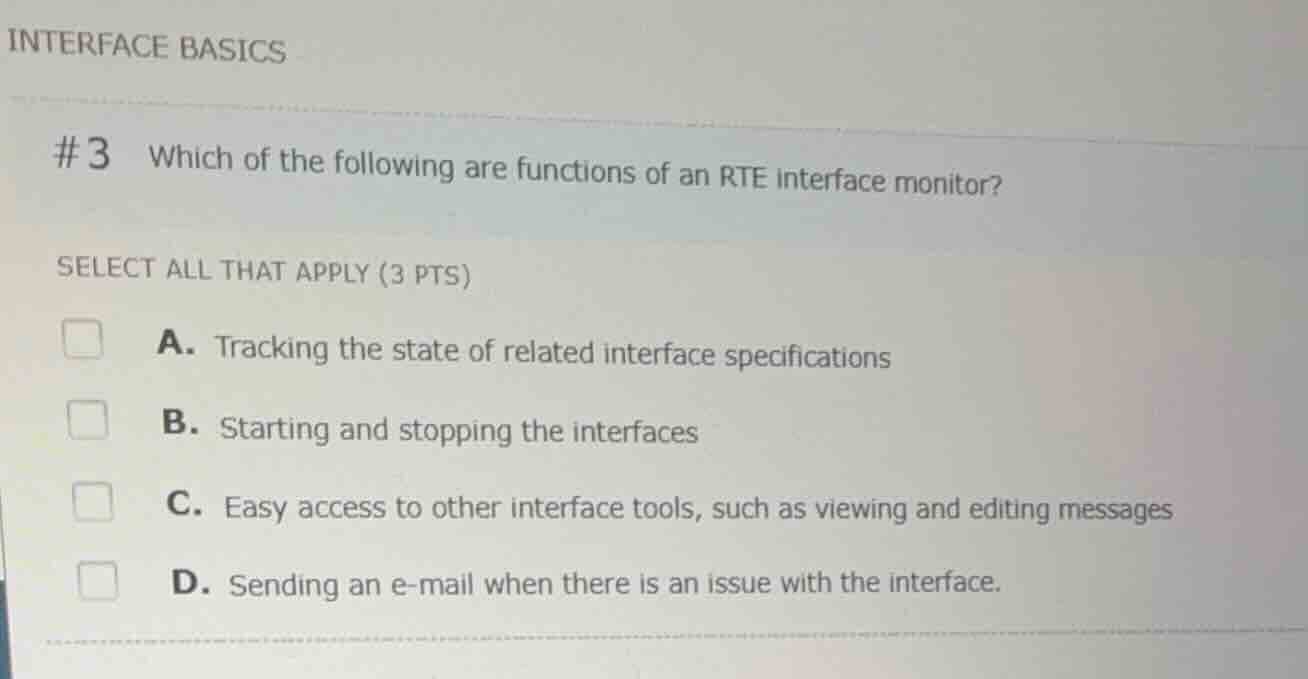
#3 which of the following are functions of an rte interface monitor?
select all that apply (3 pts)
a. tracking the state of related interface specifications
b. starting and stopping the interfaces
c. easy access to other interface tools, such as viewing and editing messages
d. sending an e-mail when there is an issue with the interface.
Analyze the role of the Interface Monitor
The Interface Monitor (specifically the Bridges Interface Monitor or RTE Interface Monitor) is a central administrative tool used to view the status of interfaces, start and stop background daemons, and quickly jump to related utilities like the Message Search or Message Editor.
Evaluate the options against monitor functions
- A. Tracking the state of related interface specifications: Correct. The monitor displays whether the background processes (daemons) and connections are active, stopped, or in error.
- B. Starting and stopping the interfaces: Correct. Administrators can start and stop background interface daemons directly from the monitor.
- C. Easy access to other interface tools, such as viewing and editing messages: Correct. The monitor provides direct links and access to message search, message viewer, and editing tools.
- D. Sending an e-mail when there is an issue with the interface: Incorrect. While alerting systems exist in Epic (such as System Monitor or Event Logging), sending emails is not a direct function of the Interface Monitor itself.
Determine the correct combination
The functions of the interface monitor are tracking states, starting/stopping interfaces, and providing easy access to other tools. Therefore, options A, B, and C are correct.

Snap & solve any problem in the app
Get step-by-step solutions on Sovi AI
Photo-based solutions with guided steps
Explore more problems and detailed explanations
- A. Tracking the state of related interface specifications (Correct answer)
- B. Starting and stopping the interfaces (Correct answer)
- C. Easy access to other interface tools, such as viewing and editing messages (Correct answer)
- D. Sending an e-mail when there is an issue with the interface.