QUESTION IMAGE
Question
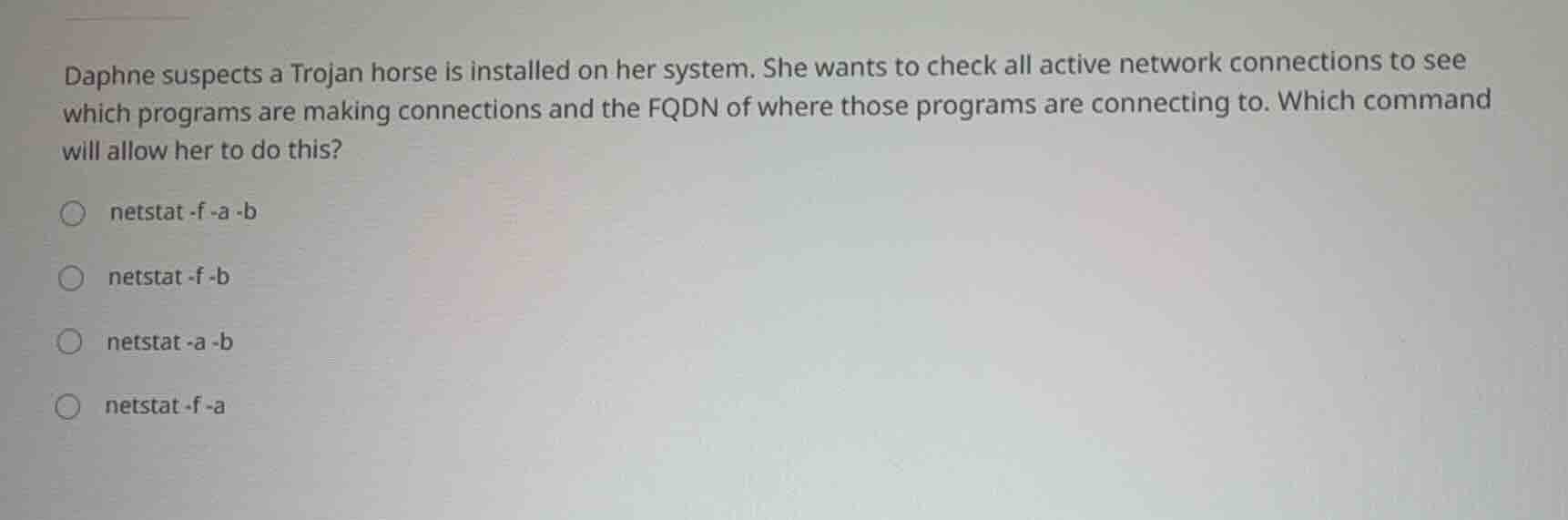
daphne suspects a trojan horse is installed on her system. she wants to check all active network connections to see which programs are making connections and the fqdn of where those programs are connecting to. which command will allow her to do this?
netstat -f -a -b
netstat -f -b
netstat -a -b
netstat -f -a
Analyze the user requirements
The user wants to check active network connections.
She needs to see:
- Which programs are making connections.
- The Fully Qualified Domain Name (FQDN) of the destinations.
Evaluate netstat parameters
We examine the standard Windows netstat command-line options:
-adisplays all active connections and listening ports.-bdisplays the executable involved in creating each connection or listening port.-fdisplays Fully Qualified Domain Names (FQDN) for foreign addresses.
Combine the required flags
To meet all requirements, we must combine these parameters:
- To see active connections:
-a - To see the executable/program:
-b - To see the FQDN:
-f
Thus, the correct command is netstat -f -a -b (or any order of these parameters).
Connect to security concepts
Using the Network Security knowledge point, identifying unauthorized outbound connections from malicious software like Trojans is a critical step in incident response and system auditing.

Snap & solve any problem in the app
Get step-by-step solutions on Sovi AI
Photo-based solutions with guided steps
Explore more problems and detailed explanations
- (A) netstat -f -a -b (Correct answer)
- (B) netstat -f -b
- (C) netstat -a -b
- (D) netstat -f -a