QUESTION IMAGE
Question
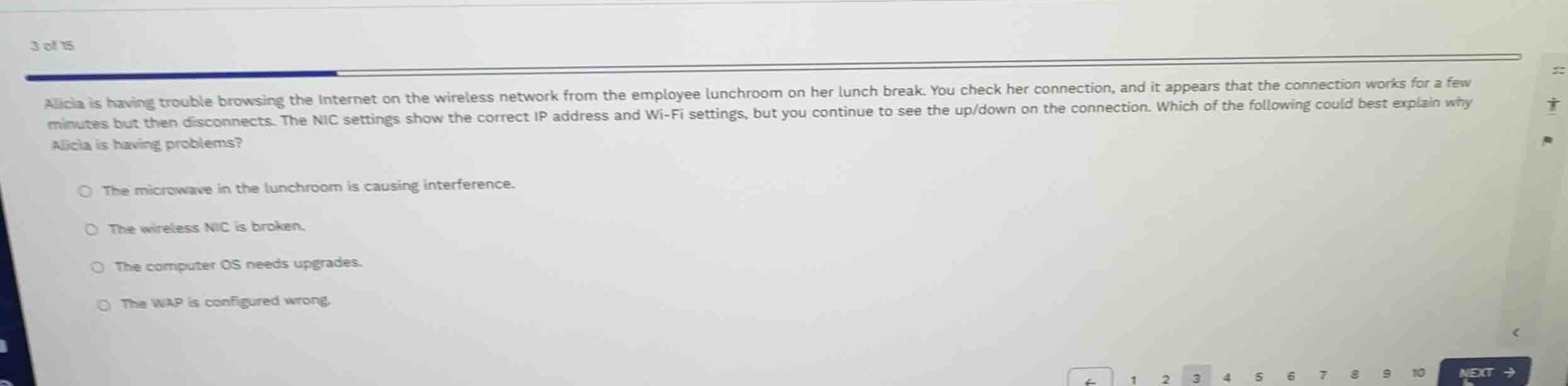
alicia is having trouble browsing the internet on the wireless network from the employee lunchroom on her lunch break. you check her connection, and it appears that the connection works for a few minutes but then disconnects. the nic settings show the correct ip address and wi-fi settings, but you continue to see the up/down on the connection. which of the following could best explain why alicia is having problems?
- the microwave in the lunchroom is causing interference.
- the wireless nic is broken.
- the computer os needs upgrades.
- the wap is configured wrong.
Analyze the symptoms
The user is experiencing intermittent connectivity issues specifically in the employee lunchroom. The connection works for a few minutes and then disconnects. The Network Interface Card (NIC) settings, IP address, and Wi-Fi configuration are correct, ruling out basic configuration errors.
Evaluate the environment
The location is a lunchroom, which typically contains household appliances. Microwaves operate on the \(2.4\text{ GHz}\) ISM band, which is the same frequency band used by many Wi-Fi networks. When a microwave is running, it can emit electromagnetic radiation that causes severe wireless interference, leading to temporary disconnections.
Assess the options
- The microwave in the lunchroom is causing interference: This perfectly matches the intermittent nature of the problem (disconnecting during lunch breaks when people use the microwave) and the specific location (lunchroom).
- The wireless NIC is broken: If the NIC were broken, the connection would likely not work at all or show incorrect settings, rather than working fine for a few minutes and showing correct settings.
- The computer OS needs upgrades: An outdated OS would not cause localized, intermittent disconnections specifically in the lunchroom while maintaining correct settings.
- The WAP is configured wrong: If the Wireless Access Point (WAP) were configured incorrectly, she would not be able to connect successfully at all or obtain the correct IP address.

Snap & solve any problem in the app
Get step-by-step solutions on Sovi AI
Photo-based solutions with guided steps
Explore more problems and detailed explanations
- The microwave in the lunchroom is causing interference. (Correct answer)
- The wireless NIC is broken.
- The computer OS needs upgrades.
- The WAP is configured wrong.