QUESTION IMAGE
Question
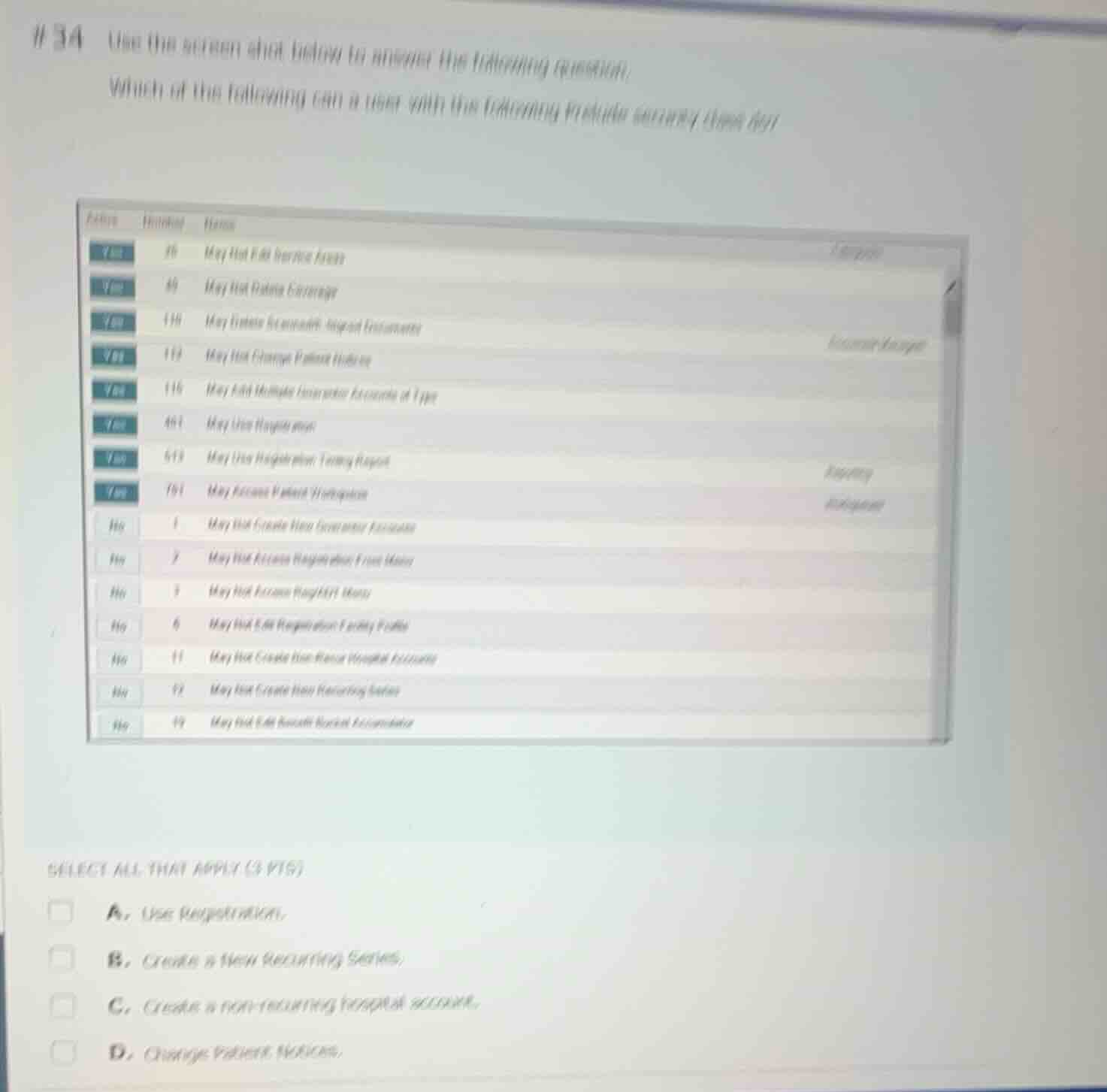
#34 use the screen shot below to answer the following question.
which of the following can a user with the following prelude security class do?
select all that apply (3 pts)
a. use registration.
b. create a new recurring series.
c. create a non-recurring hospital account.
d. change patient notices.
Analyze the security point configuration
The screenshot displays a list of Prelude security points with their "Active" status set to either "Yes" or "No".
- Point 401: "May Use Registration" is Active = Yes. This allows the user to use registration.
- Point 119: "May Not Change Patient Notices" is Active = Yes. Because this is a restrictive security point ("May Not..."), having it active means the user is restricted and cannot change patient notices.
- Point 12: "May Not Create New Recurring Series" is Active = No. Because this restrictive point is inactive, the user is not restricted from creating recurring series, meaning they can create a new recurring series.
- Point 11: "May Not Create Non-Recur Hospital Accounts" is Active = No. Because this restrictive point is inactive, the user is not restricted, meaning they can create a non-recurring hospital account.
Evaluate the answer choices
- A. Use Registration: Allowed because Point 401 ("May Use Registration") is Active = Yes.
- B. Create a new Recurring Series: Allowed because Point 12 ("May Not Create New Recurring Series") is Active = No (the restriction is not active).
- C. Create a non-recurring hospital account: Allowed because Point 11 ("May Not Create Non-Recur Hospital Accounts") is Active = No (the restriction is not active).
- D. Change Patient Notices: Not allowed because Point 119 ("May Not Change Patient Notices") is Active = Yes (the restriction is active).

Snap & solve any problem in the app
Get step-by-step solutions on Sovi AI
Photo-based solutions with guided steps
Explore more problems and detailed explanations
- A. Use Registration. (Correct answer)
- B. Create a new Recurring Series. (Correct answer)
- C. Create a non-recurring hospital account. (Correct answer)
- D. Change Patient Notices.