QUESTION IMAGE
Question
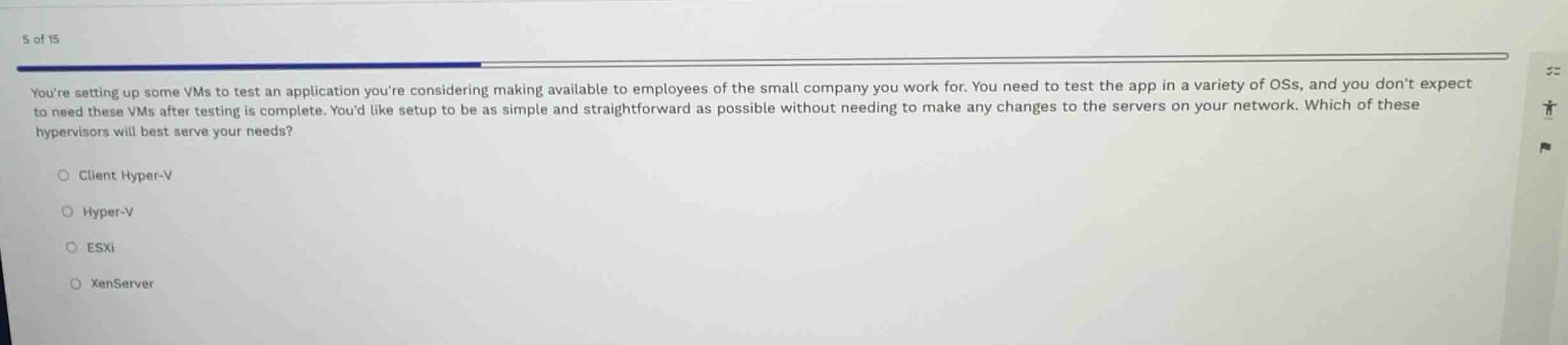
youre setting up some vms to test an application youre considering making available to employees of the small company you work for. you need to test the app in a variety of oss, and you dont expect to need these vms after testing is complete. youd like setup to be as simple and straightforward as possible without needing to make any changes to the servers on your network. which of these hypervisors will best serve your needs?
client hyper-v
hyper-v
esxi
xenserver
Analyze the requirements
The scenario describes setting up temporary virtual machines (VMs) to test an application across various operating systems. The key constraints are:
- The VMs are temporary and will not be needed after testing.
- The setup must be as simple and straightforward as possible.
- No changes should be made to the servers on the network.
Evaluate the hypervisor options
- Client Hyper-V: This is a Type 2 (or hybrid) hypervisor built directly into client versions of Windows (like Windows 10/11 Pro or Enterprise). It runs on a local desktop/laptop, making it extremely simple to set up for temporary testing without touching any network servers.
- Hyper-V: Typically refers to the Windows Server role. Setting this up requires a server operating system and network infrastructure changes.
- ESXi: A bare-metal (Type 1) hypervisor by VMware. It requires dedicated server hardware, installation directly on the bare metal, and network configuration, which violates the "no changes to network servers" and "simple setup" constraints.
- XenServer: Another bare-metal (Type 1) hypervisor that requires dedicated server hardware and complex management, which is not suitable for simple, local, temporary testing.
Determine the best fit
Client Hyper-V is the ideal choice because it runs locally on a user's workstation, requires no server hardware, and leaves the network infrastructure completely untouched.

Snap & solve any problem in the app
Get step-by-step solutions on Sovi AI
Photo-based solutions with guided steps
Explore more problems and detailed explanations
- (A) Client Hyper-V (Correct answer)
- (B) Hyper-V
- (C) ESXi
- (D) XenServer